
TwinCAT Package Manager issue with IFM ecologOne
I finally decided to migrate to TwinCAT 4026 on my own Thinkpad. I have very bad experience from day job about this process.
After installing, I tried to open the Package Manager. And an error appeared.
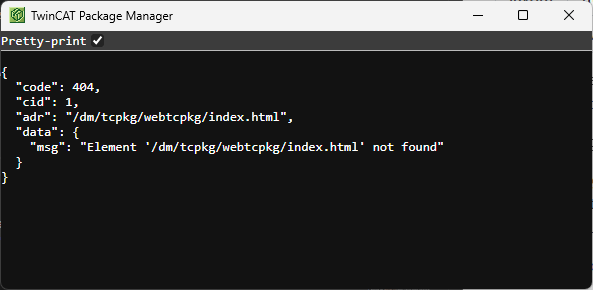
{
  "code": 404,
  "cid": 1,
  "adr": "/dm/tcpkg/webtcpkg/index.html",
  "data": {
    "msg": "Element '/dm/tcpkg/webtcpkg/index.html' not found"
  }
}
I tried to search for similar errors and I found nothing. Reinstalling didn’t help. I even installed old v.1 Package Manager, but didn’t start at all.
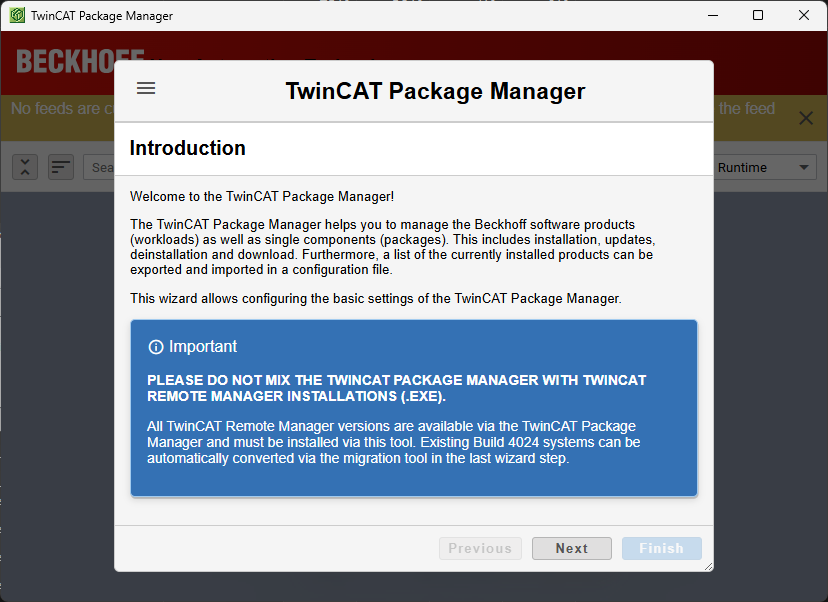
Luckily I have this picture ready whenever I need it:

Research
I opened the old reliable, the Process Monitor, to see what file it’s trying to access (where it’s looking that webtcpkg folder).
I started the Process Monitor and added a filter containing webtcpkg.
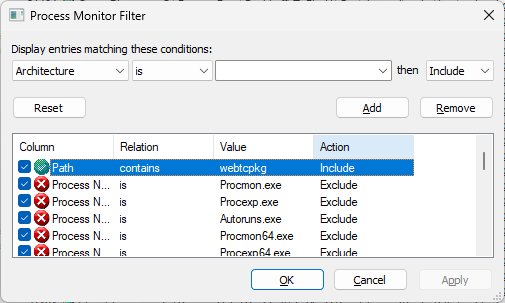
Then I started capturing and tried to open the Package Manager again. Guess what, the path was there but the process wasn’t Mr Hans Beckhoff’s production.

So it seems for some reason IFM ecologOne, tool for IFM mobile devices I have installed, was trying to access this file.
Result
I opened the task manager and terminated the ecologOne.exe process. After that, the TwinCAT Package Manager started correctly!
Conclusion
How is this possible?
Well, it seems that TwinCAT Package Manager (C:\ProgramData\Beckhoff\TcPkgUi\Gas\bin\gas.exe) is starting a web server at TCP port 8091. The same port is used by ecologOne.
Perhaps the package manager should give an error message or just use a different port if needed, instead of just connecting to an endpoint by other application that returns mysterious 404?
I couldn’t find but maybe there is a command line prompt or a config line to change the web server port?